






The accounts team says the application is struggling. Customer service is waiting for records to open, and the owner wants to know whether the business needs more capacity. Nobody wants to approve another expense without understanding the problem.
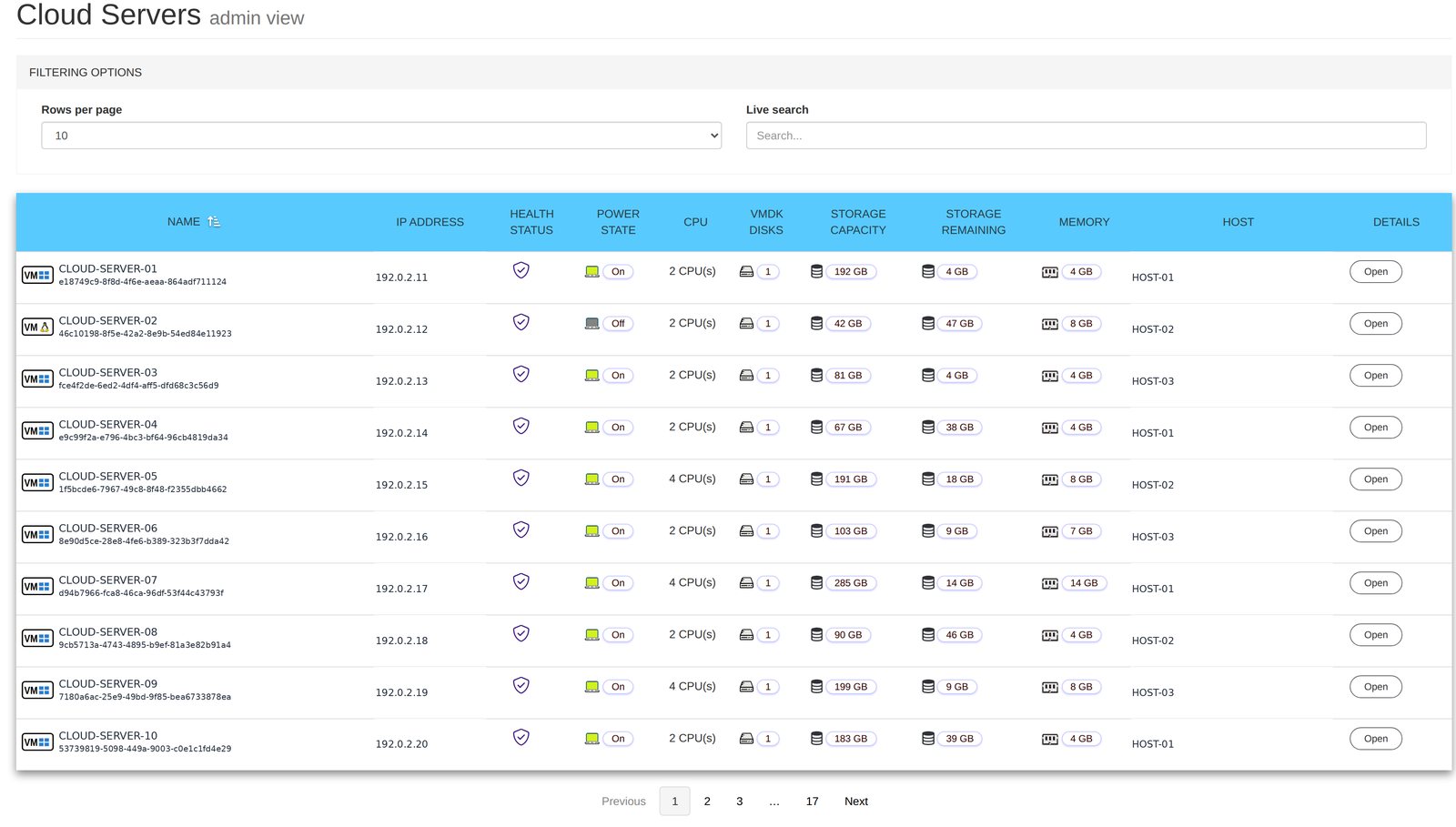
For a partner supporting several customers, the first challenge is getting a clear view. Which customer is affected? Is the server running? Is storage getting tight? What needs attention before the next busy period?
Cloud Servers puts the hosted servers in one view, with their health, running state and available space. It gives the people responsible a shared starting point for a business conversation.
Turn scattered questions into a clear first review
A software vendor or partner can see the servers belonging to the customers it manages. Each customer sees only its own. That lets the partner review the wider service while keeping the individual customer’s view focused on its business.
The benefit is not another screen to watch. It is less time collecting basic information before deciding what to do next. When a customer calls, the partner can start with the relevant server rather than asking the customer to identify the underlying hosting arrangement.
For the business owner, a clear first review helps distinguish what is known from what still needs investigation. A status view is a starting point for a response, not a reason to guess at the cause.
Make capacity a planned decision
Storage and memory support the work happening on each server. As applications grow and more data is kept, the business may need to revisit its capacity. Discovering that need during a busy trading period makes the conversation harder.
Cloud Servers shows space and memory per server. A partner can use that information to discuss requirements with the customer before recommending a change.
The practical questions are commercial as well as operational. Is a new team starting? Is the business adding an application? Does a seasonal peak need to be planned for? The figures provide context for those decisions, rather than becoming a sales argument on their own.
That gives the customer an opportunity to understand the need, agree the next step and plan the work. Capacity becomes part of running the business instead of an expense first explained during an interruption.
Give people access without another hosting account
Business staff should not need to understand the hosting platform simply to see their own environment. Creating extra accounts for every layer also adds another thing to manage when people join, leave or change roles.
Staff can sign in using the Windows login they already have on their own server. NetLeverage does not keep that password. The Cloud Dashboard provides the view, so users do not need a separate login to the hosting layer.
For a partner, this keeps the customer conversation centred on the service and the work being supported. For the customer, it means the information is available through a familiar identity rather than an unrelated administration account.
Use the overview to agree the next action
A useful review ends with a decision or a clear question. A server needs investigation. Storage needs discussing. A planned business change needs a capacity review. Somebody needs to own the follow-up.
Cloud Servers provides the overview for those conversations. It does not require the business owner to become the person operating the hosting platform.
Software vendors can look across the environments supporting their customers. Resellers can prioritise attention and explain recommendations. Customers can see their own service and make informed choices about what comes next.
Ask us to show you the servers behind your business applications and the information available for a planned capacity review.