






A manager asks whether last night’s backup arrived at the office. One person says it was scheduled. Another believes the transfer finished. Nobody has the result in front of them, so a simple question becomes a search through messages.
The problem is the gap between intended work and completed work. A routine can be agreed, written down and still need attention when a run is late or a delivery does not arrive.
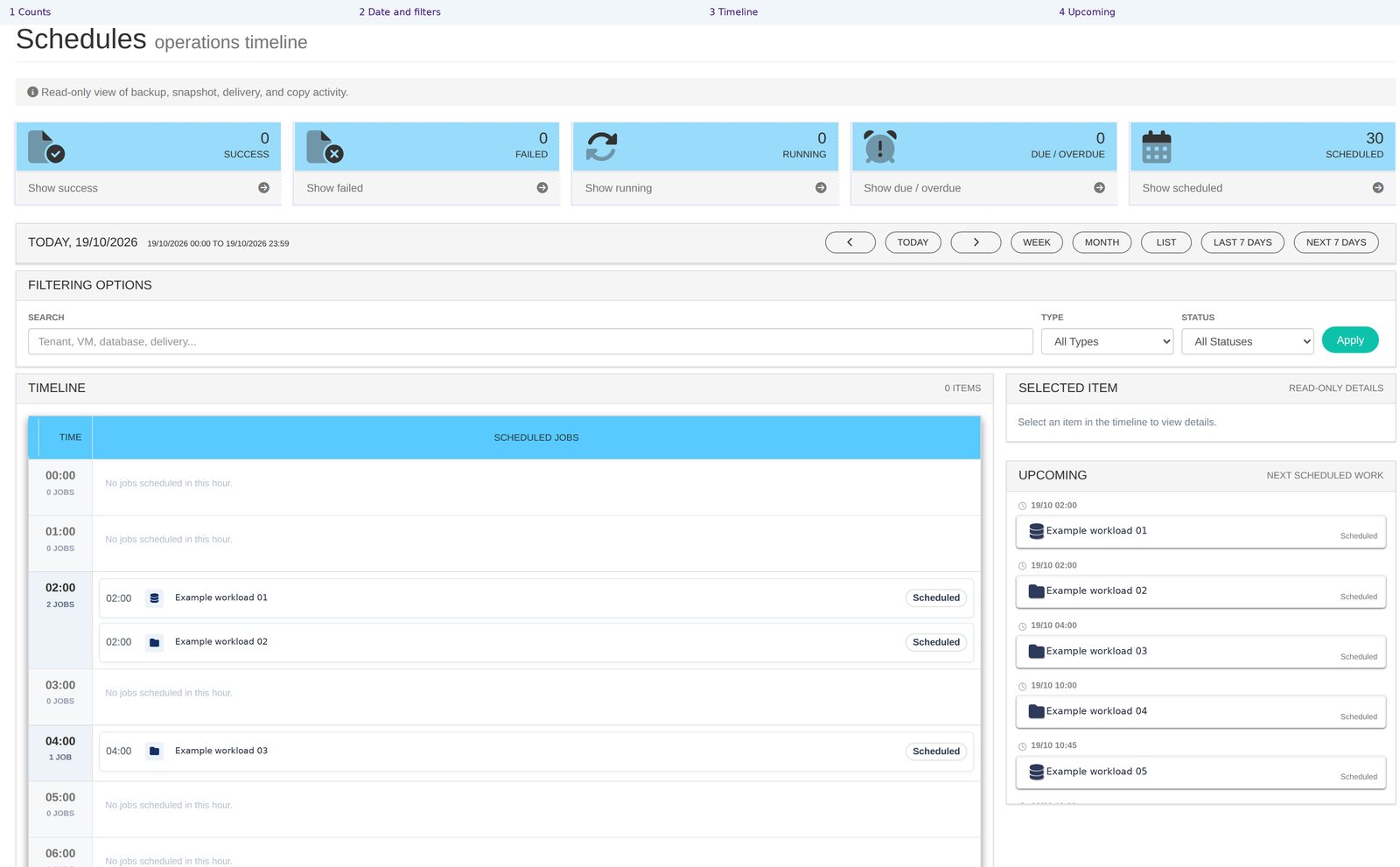
Schedules brings the work that protects the business onto one calendar, showing past activity and what is due next. Backups and client deliveries can be reviewed together, with overdue work flagged for attention.
See the routine as a whole
Protection involves several related activities. A backup may be due overnight, followed by delivery of a copy to the customer’s storage. Looking at those jobs separately can make it harder to explain the overall arrangement.
The calendar puts past and future work in one place. A partner can review what was expected, what ran and what is coming next, rather than relying on memory or opening a series of separate notes.
For the customer, that gives the service a visible rhythm. The question is not simply whether backups exist, but whether the agreed work is taking place when the business expects it.
Bring overdue work into the conversation
An overdue job can be easy to overlook when the working day is full of immediate requests. If the arrangement relies on someone remembering every task, routine protection competes with customer calls and other deadlines.
Schedules flags overdue work. The team can follow up the exception rather than assume that a planned job completed. Where a delivery has not arrived, the logs provide a place to investigate the cause.
The next step needs an owner. Decide who reviews exceptions and who contacts the customer when an issue needs discussion. Visibility is most useful when it leads to a clear responsibility, rather than another message everyone thinks someone else will handle.
Include the copy the customer receives
A customer may care as much about the copy arriving on its own storage as the backup being taken in the cloud. Those are separate moments in the routine, and both need to be understood.
Client deliveries appear on the calendar too. The customer can check the recorded delivery activity and use the logs when an expected copy has not arrived.
For a reseller, this provides a practical way to explain the full service: what was backed up, what was due to be delivered and what the records show. For a business owner, it makes the promised local copy something that can be checked.
Review the exceptions, then plan ahead
A partner looking after several customers needs a review that identifies where attention belongs. A consolidated calendar supports that review without requiring the same information to be collected separately for every conversation.
Start with overdue work and unexpected results, then look ahead. A customer may be planning a change or a busy period. Knowing the next run helps the team discuss the routine around that work. The next run for an individual server is also visible on that server’s own page.
A weekly SLA report is being added. The calendar and execution records provide useful information now.
Software vendors can connect protection activity with customer support needs. Resellers can organise follow-up around the exceptions. Customers gain a clearer answer to what happened and what is due next.
Ask us to walk through your protection calendar and agree who will act when something needs attention.