






A member of staff opens the usual login page and sees a warning. They hesitate, call a colleague and ask whether it is safe to continue. The application may still be running, but the warning has already interrupted the working day.
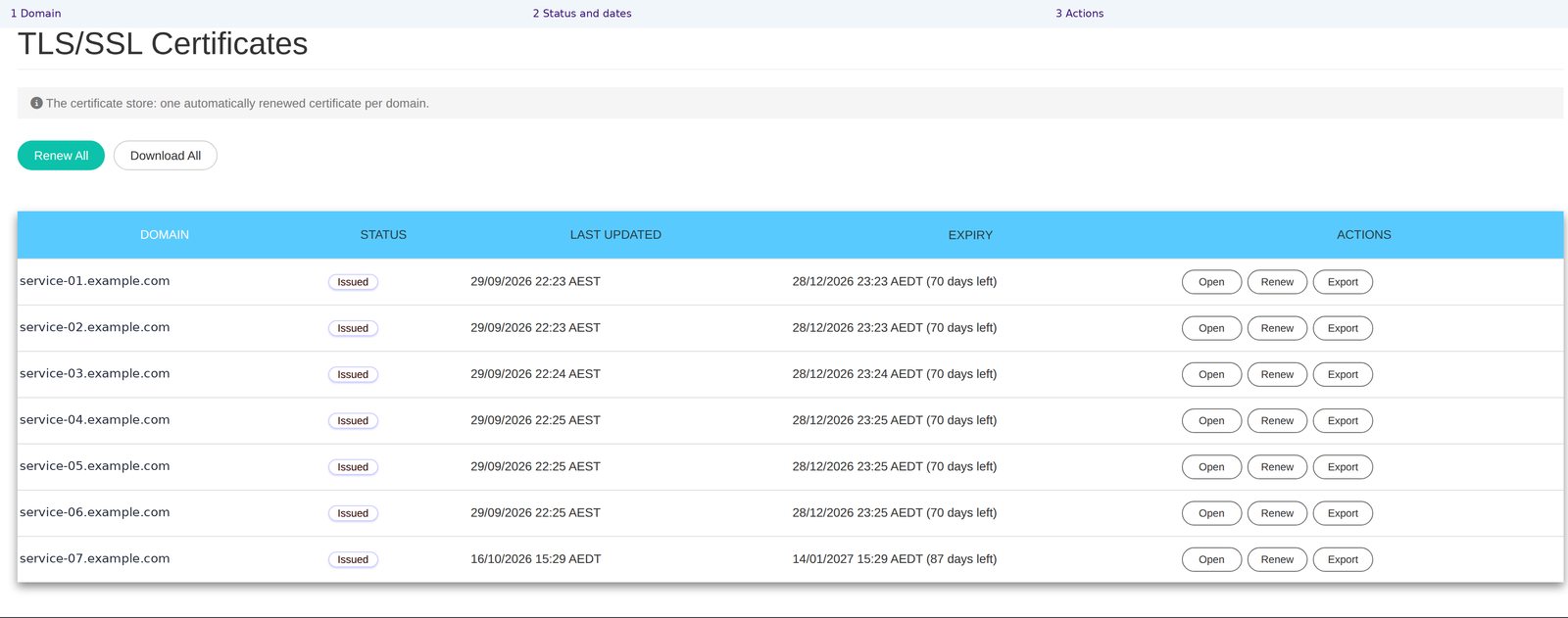
The small item behind the warning can be a certificate: the digital credential used to help a device recognise the service it is connecting to and establish a protected connection. Certificates expire and need renewal.
Those renewal intervals are getting shorter. For businesses, the important question is who will keep the connection credentials current, across every place they are used, without relying on a growing list of reminders.
Understand the change without taking on the administration
The CA/Browser Forum’s rules set the maximum lifetime for publicly trusted TLS server certificates issued in each period. From 15 March 2026 the limit is 200 days. It falls to 100 days from 15 March 2027, then 47 days from 15 March 2029.
These are maximum lifetimes, not promises about how long any individual certificate will last. By 2029, keeping one certificate current throughout a year will involve roughly eight issuance cycles, and renewal should happen before expiry.
For a business with several services, a task that once felt occasional becomes recurring operational work. The risk is not that the owner fails to understand certificates. It is that responsibility is unclear, a reminder is missed or the renewed certificate does not reach every server that needs it.
Renewal must reach the places people use
Obtaining a replacement certificate is only part of the job. The new certificate also needs to be put into use wherever the old one was serving the application.
NetLeverage renews certificates automatically and distributes the new certificate to the servers that carry it. The service addresses both the renewal and the delivery of the replacement.
For the customer, this removes a recurring manual coordination task. For a partner managing several environments, it avoids treating each renewal as a separate round of emails and handovers. The business can ask who owns the process and how it is managed, rather than being expected to perform it.
Do not make ignoring warnings part of the routine
A login warning creates an uncomfortable choice for a busy employee. Stop work and ask for help, or click through to get the task finished. Repeatedly encouraging the second option teaches a habit the business should not want.
Keeping the certificate current supports a normal, trusted login experience. When an unexpected warning does appear, staff should have a clear person to contact instead of being told that warnings are always harmless.
The practical value is confidence in the everyday entry point to the application. Staff can concentrate on the customer or task in front of them, while the service team manages the recurring certificate work.
Keep the vendor’s own identity at the front
A software vendor may want customers to use its own domain when they sign in. That is part of a recognisable customer experience, but the associated certificate still needs ongoing care.
NetLeverage can secure and renew the certificate for the vendor’s own domain without the vendor having to carry out that renewal work. The customer-facing identity and the operational responsibility can therefore be handled together.
Software vendors can keep their branded entry point. Resellers can explain who maintains the connection credentials. Business owners can avoid turning shorter renewal intervals into more tasks for office staff.
Ask us to review the certificates used by your customer connections and explain how their renewal and distribution are managed.
Reference: CA/Browser Forum certificate validity requirements.