






An adviser needs a copy of the business data. A member of staff has the right report, but it is stored elsewhere. Someone has to retrieve it, move it and explain which version the adviser should use. Meanwhile, the person doing the work is waiting.
Keeping data protected is only part of the job. People also need a practical way to reach an authorised copy, open it, keep it or pass it to the person helping them.
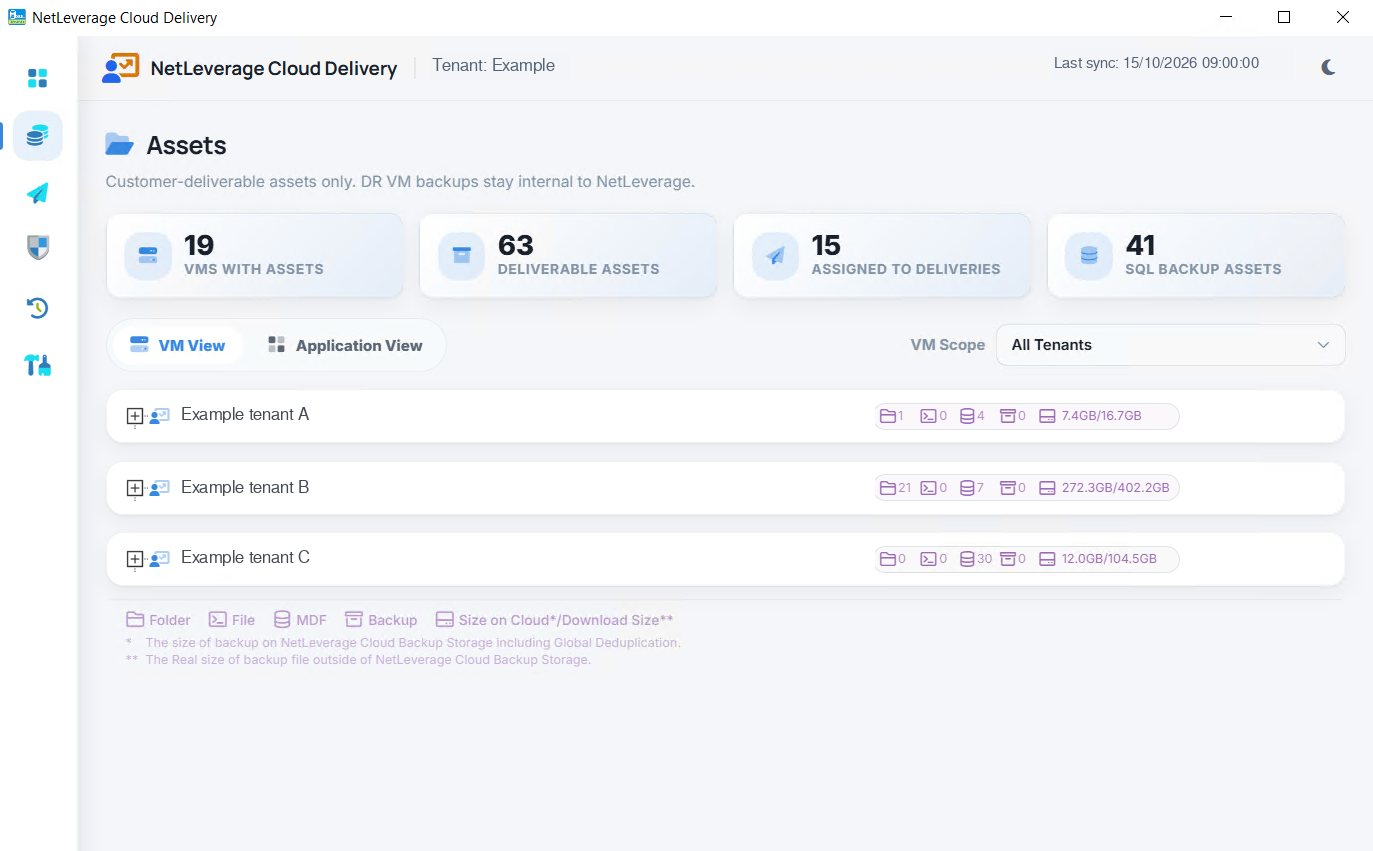
The Delivery Client brings that work closer to the customer’s own computer. It combines access to assigned assets with the ability to manage local files, so the customer can work with the copies they are entitled to use.
Have your own copy where you can work with it
A business may need an earlier database for investigation, a document for review or a copy to keep on its own storage. These are ordinary working needs, but they can become support requests if the data is always somewhere the customer cannot reach.
The Delivery Client gives the customer a local place to open, attach, share and keep its copies. Attaching a database makes a saved copy available to a database server for use or inspection. The useful outcome is access to the chosen data, rather than a file that still needs several handovers before anyone can work with it.
For a business owner, this makes the location of the copy meaningful. It is somewhere the team can use it for an agreed purpose. For a reseller, it provides a practical way to help customers work with the data they receive.
Make access a deliberate choice
A customer should be able to find its own assets without being shown another customer’s information. Equally, not every item available to a service provider needs to be made available to every recipient.
Assets shows the items assigned to the user. The software vendor decides what each customer may take home. The visible selection therefore reflects an access decision, rather than an invitation to browse everything the provider holds.
That is worth discussing during setup. Which people need a copy? Is it for everyday work, an adviser or a support investigation? Clear choices make the service easier to use and easier to explain when responsibilities change.
Keep important local work in versions
Not all important files begin in the cloud. A business may have a growing collection of reports, working documents or other files on its own computers. A later edit can make an earlier version valuable, even when nothing has been deleted.
Users can drag their own files and folders into the Vault, where versions are kept. That gives local work a place alongside the delivered assets, instead of leaving it scattered across individual folders and informal copies.
The business benefit is continuity of work. An earlier document can be useful for checking what changed or understanding a decision. The point is not to keep files without a purpose, but to preserve the work the business may need to revisit.
Keep the everyday actions familiar
The Delivery Client is organised around actions such as clicking an item or dragging files into place. That matters because the person handling the document may be an accountant, administrator or adviser rather than the person responsible for the hosting service.
A useful handover should show the customer how to find its assets, recognise the version it needs and choose the next action. A short walkthrough using the customer’s own working task is more valuable than a tour of every possible feature.
Software vendors can make selected assets available without sending each one manually. Resellers can help customers establish a repeatable way to handle their copies. Customers can keep their own work and delivered data within reach.
Ask us to show you the Delivery Client using the files and handovers your team deals with every week.